Explain Budgeting Concepts with Puzzle Piggy Bank

Product Description
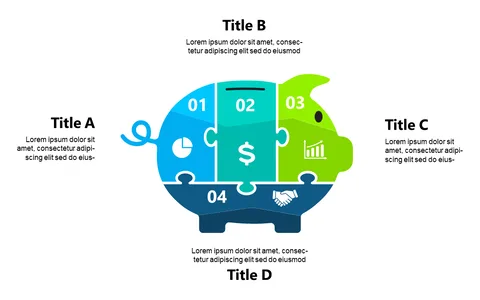
Conveying intricate budgeting concepts can feel like deciphering a complex puzzle. You want your audience to grasp these ideas without getting lost in jargon or confusion, and the Puzzle Piggy Bank slide helps you do just that with its engaging visual representation. Transform your explanations into something memorable and relatable.
Finance professionals, such as budget analysts or financial planners, can use this slide during workshops or client presentations to illustrate the various components of a budget. Whether you’re discussing savings strategies or explaining allocations, this slide makes it easier for your audience to connect with the material.
It’s especially useful in educational settings where complex concepts need clarity. For just $0.99, you can instantly download this slide and make it your own. It’s easy to edit in PowerPoint or Google Slides, allowing you to customize it to fit your specific needs in minutes.
$0.99 – Purchase Checkout
Added to cart