
Free Infographic PowerPoint Template for Business Presentations
Most people searching for a free infographic PowerPoint template end up on sites that look generous until you click download and hit a paywall, a mandatory subscription, or a “premium only” label on the exact slide you actually wanted. The ones that are truly free are usually so stripped-down they’re not worth the time it takes to customize them.
The Free Business Infographic PowerPoint Template on SlideSwift is a single, professionally designed slide — fully editable in PowerPoint and Google Slides. Create a free account in 30 seconds and the download is yours. No credit card, no trial period, no subscription that activates automatically in two weeks. Just the slide.
Below is what you get from the main free infographic PowerPoint template, how to download it, and a set of other free slides across different categories — timelines, cycle diagrams, abstract layouts, and creative visuals — all available through the same free account.
Free Business Infographic PowerPoint Template — What’s Inside

One clean, light-theme business infographic slide in 16:9 widescreen format. Every element — text boxes, icons, shapes, layout components — is a separate, independently editable object in PowerPoint. You’re not working around a locked image or a flattened graphic. Everything moves, resizes, and recolors without breaking the layout.
Built for boardroom presentations, client meetings, team reviews, and strategy updates — situations where a bullet-point slide would technically work but an infographic layout communicates the same information in a fraction of the reading time. The structured format helps audiences absorb content faster because the visual hierarchy does the work that text alone can’t.
Compatible with Microsoft PowerPoint on Mac and PC. Works with Google Slides after a simple PPTX upload to Google Drive. No additional software needed for either option.
Download the Free Business Infographic Slide →
How to Download — No Credit Card, 30 Seconds
Click the download button on the template page. You’ll be asked to log in or create a free SlideSwift account — just an email address and a password, nothing else. Once the account exists, the PPTX file downloads immediately.
That’s the entire process. No credit card field. No “start your free trial” messaging. No upsell before the download starts. The free infographic PowerPoint template is free with a free account, and the account is free to create.
After downloading, open in PowerPoint and replace the placeholder text with your content. Every layout element is editable without any unlocking steps. For Google Slides, upload the file to Google Drive, right-click, and open with Google Slides — the formatting and layout carry over cleanly.
More Free PowerPoint Templates on SlideSwift
The business infographic slide is one of several free individual slides available across different categories. All are single professionally designed slides, light theme, fully editable, available through the same free account. Here’s what else is available right now:
Free Timeline Process PowerPoint Template

A sequential timeline layout for presenting project phases, process steps, or milestone progressions. Works well for project kickoff presentations, onboarding decks, and any situation where the audience needs to understand what happens in what order.
Free Timeline Roadmap PowerPoint Template

A roadmap-style timeline for product plans, strategic outlooks, and quarterly reviews. Shows progression across time with clear visual markers for phases — different visual structure from the process timeline, better for longer-horizon planning slides.
Free Creative Visual PowerPoint Template

A more visually forward layout for presentations where the design of the slide itself needs to land — marketing team updates, creative briefs, campaign overviews, or any setting where a standard corporate slide wouldn’t reflect the nature of the work being presented.
Free Cycle Diagram PowerPoint Template

A circular cycle diagram for recurring processes, continuous improvement frameworks, and feedback loops. The circular structure makes it immediately clear to the audience that this process doesn’t have a finish line — it repeats, which is the actual point a linear diagram can’t communicate.
Free Cycle Flow PowerPoint Template

A flow-based cycle layout with distinct phase segments — better than the standard circular diagram when the individual stages within the loop need to be visually separated. Good for sprint review cycles, quarterly planning processes, and quality management frameworks.
Free Abstract Layout PowerPoint Template

A clean geometric layout that works as a flexible content slide for any deck that needs a modern look without committing to a specific diagram type. Good for overview slides, section openers, and summary pages where the content is less structured.
Free Abstract Options PowerPoint Template
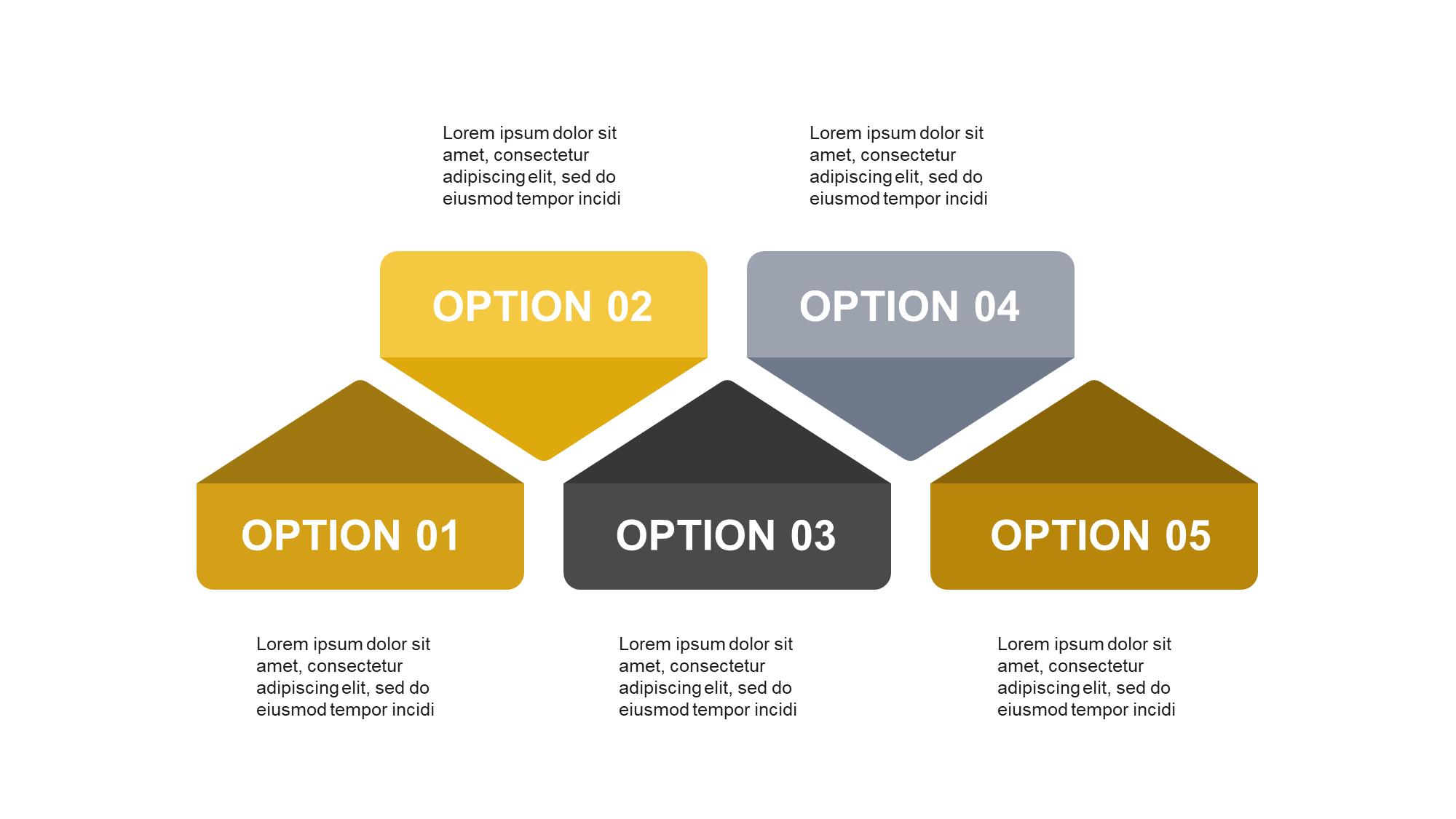
An options-comparison layout for presenting alternatives, parallel choices, or a set of independent items side by side. Works for feature comparisons, strategic option analysis, and multi-path decision slides where the audience needs to evaluate options rather than follow a single sequence.
Free Business Radial PowerPoint Template

A radial diagram built around a central concept, with supporting elements arranged outward from the core. Works well for brand strategy slides, organizational competency frameworks, and any content structure where one central idea drives everything else on the slide.
See all free PowerPoint templates on SlideSwift →
What Makes a Free Infographic PowerPoint Template Actually Worth Using?
Most free infographic templates fail for one of two reasons: the layout is professionally designed but locked down — icons that can’t be replaced, text boxes that won’t resize without breaking the design — or the layout is fully editable but so basic that it would have been faster to just use a blank slide.
A free infographic PowerPoint template that’s actually useful gives you a layout that looks designed without constraining how you use it. The SlideSwift free slides are built on the same design framework as the paid decks — the icons, shapes, and layout components are all native PowerPoint objects that behave normally when you click on them. Nothing is grouped in a way that prevents editing. Nothing is a screenshot of a design file.
The practical test: open the slide in PowerPoint and try to change three things — the text, a color, and the position of one element. If all three work without the layout breaking, the template is actually editable. These pass that test.
How to Use an Infographic Slide Effectively in a Business Presentation
The free infographic PowerPoint template gives you the structure. What you put in it still matters. Here’s what separates a business infographic slide that lands from one that gets a polite nod and forgotten:
One idea per slide: An infographic works because it simplifies something complex. If you’re trying to put three different concepts onto one infographic slide, you’ve lost the point of using an infographic. Pick one idea, show it visually, and move on. The next idea gets its own slide.
Labels that carry information, not just names: A section header that says “Growth Strategy” tells the room nothing they couldn’t have assumed. “Growth Strategy: Southeast expansion via three anchor distribution partners, targeting $2M in incremental ARR by Q3” — that’s a label with a claim in it. Use the text fields to write something the audience couldn’t have guessed.
Numbers wherever you have them: Infographic slides become significantly more credible when specific data appears alongside the visual structure. “Four-stage onboarding process” is fine. “Four-stage onboarding process — median time-to-productivity 18 days, 89% 90-day retention” is a slide someone remembers after the meeting.
Consistent visual weight across all sections: If one quadrant of your infographic has four bullet points and the others have one line each, the asymmetry reads as unfinished. Either cut the four bullets to one strong line, or expand the others to match. The template’s layout is balanced — keeping your content balanced makes the design work.
Can I Edit These Free Slides Without Installing Any Software?
Yes — two options, both require no software install. Upload the PPTX to Google Drive and open with Google Slides to edit in any browser on any device. This works well for quick text changes and color swaps before a meeting. For full editing including icon replacement, shape repositioning, and precise alignment, open in Microsoft PowerPoint on Mac or PC — every element is a fully native PowerPoint object.
Both options give you a fully editable file. The Google Slides version handles the most common pre-meeting edits — updating numbers, swapping text, changing a color — without needing PowerPoint installed. For anything more involved, the PPTX is the right tool.
Browse All Free PowerPoint Templates — Free Account, No Card Needed
Every free template on SlideSwift — including the free infographic PowerPoint template and all the slides listed above — is available with a free account. The account takes 30 seconds to create: email address, password, done. No credit card at any point, no trial that converts to a paid plan, no limit on how many free slides you download.
The free templates page shows the full current set — business infographics, timelines, roadmaps, cycle diagrams, abstract layouts, and creative visuals — and it updates as new free slides are added.