
Social Media Marketing PowerPoint Template — 2 Best Strategy Decks for 2026
Your client wants a social media strategy deck by Thursday. You’ve got the strategy — you just don’t have 6 hours to build slides from scratch. These two templates give you 20 professional slides each, starting at $3.99. One in a dark corporate green for internal reviews that need structure. One in a light teal for client presentations that need to feel polished. Download, fill in your content, present.
Internal team review or social media audit → Dark Corporate Green ($3.99, 20 slides). Bold, structured, no-nonsense layout for data-heavy strategy sessions. Client proposal or agency pitch → Light Teal Modern ($5.99, 20 slides). Clean, minimal, built to impress in a client-facing room. Both work in PowerPoint, Google Slides, and browser.
Social Media Promotion Template Dark — Best for Team Reviews and Strategy Audits
It’s Monday morning. Your team needs to walk through last quarter’s social media performance — what worked, what didn’t, what the plan is for next 90 days. You need a deck that can hold a lot of information without looking cluttered. The dark corporate green template does exactly that. Twenty slides on a dark background with a structured layout — each section has a clear visual hierarchy so your team knows exactly where to look. Numbers stand out. Comparisons read cleanly. The tone is serious, which is right for an internal performance review.


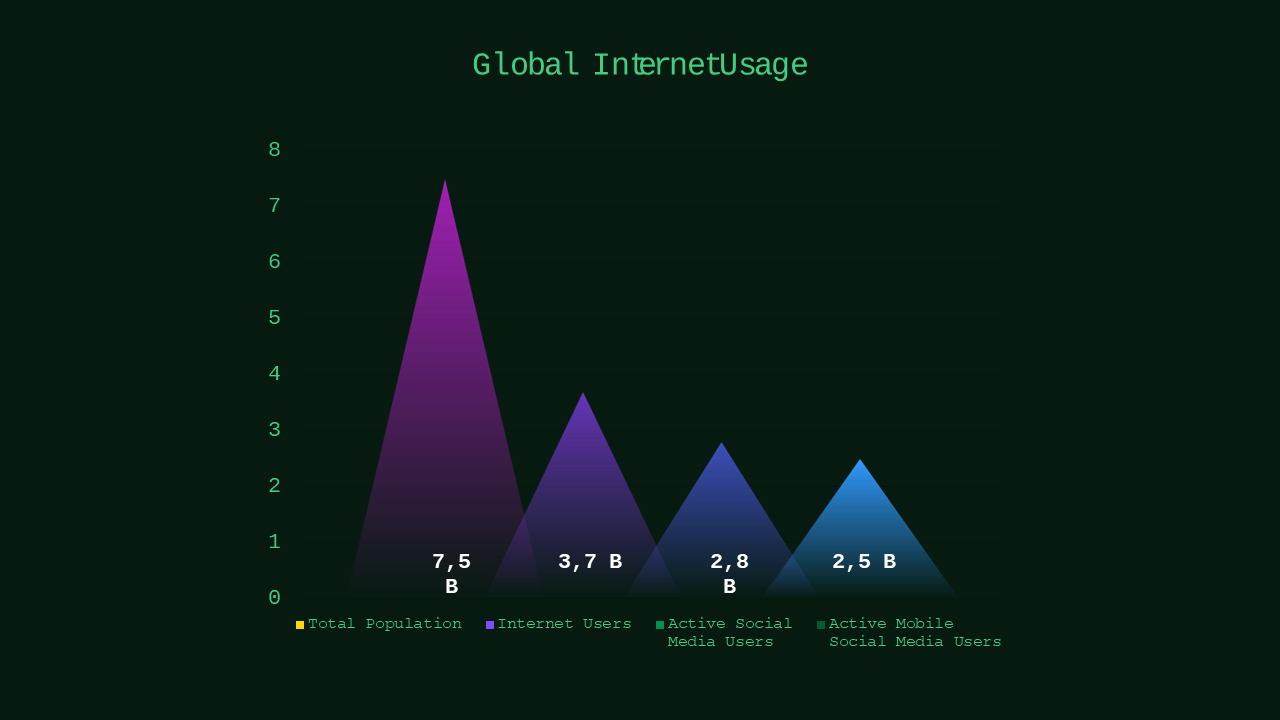
The corporate green accent on a dark background is a deliberate choice — it’s not trendy, it’s readable. Charts pop. Section headers are clear. If you’re presenting engagement metrics, platform breakdowns, competitor analysis, or content calendars, this deck has slide layouts designed for each. Twenty slides gives you enough room to cover all of it without squeezing text into a corner.
- 20 slides across a dark background — high contrast, easy to read in any lighting
- Corporate Green accent — professional without being generic
- Covers strategy, performance metrics, platform breakdown, and content planning
- Fully editable in PowerPoint, Google Slides, and browser
📊 Dark: 20 slides
🎨 Dark theme
📁 PowerPoint + Google Slides + Browser
What Makes a Social Media Strategy Deck Actually Land?
Most social media presentations fail before anyone reads a single slide. Here’s why.
They lead with platforms instead of goals. Slide 1: Instagram. Slide 2: LinkedIn. Slide 3: Twitter. No context, no business objective, no reason why any of this matters to the room. A strategy deck should open with what you’re trying to achieve — grow awareness, drive conversions, retain customers — and then show how each platform contributes. When you lead with platforms, you’re describing tools. When you lead with goals, you’re describing a strategy.
They bury the data. A slide with 6 charts on it is not a data slide — it’s a spreadsheet printout. Your audience has 8 seconds per slide. One platform. One metric. One trend. That’s the rule for any performance slide in a social media deck. If you need to show all four platforms’ engagement rates in the same meeting, that’s four slides — not one slide with a 2×2 grid of charts.
They skip the “so what.” Engagement rate was 4.2% last quarter. Okay. Is that good? Better than before? Better than the competitor? A presentation slide without context is just a number. Every metric in your deck needs a benchmark — your own previous period, an industry average, or a target. Without that, your audience can’t evaluate what they’re seeing, so they don’t.
Both templates here are structured to avoid all three. The dark version is better for reviews where you’re walking a team through data. The light version is built for pitching a strategy to a client who hasn’t seen the numbers yet.
Social Media Marketing Strategy Deck Light — Best for Client Proposals and Agency Pitches
You’re putting together a social media proposal for a new client. They’re evaluating two agencies. Your strategy is strong — the deck has to match it. The light teal modern template is built for exactly this situation. Twenty slides on a clean white-and-teal background, minimal styling, every element where it should be. Nothing fights for attention. The content leads, the design supports it. This is the version you send to a client before the meeting so they can review it cold and still understand it.


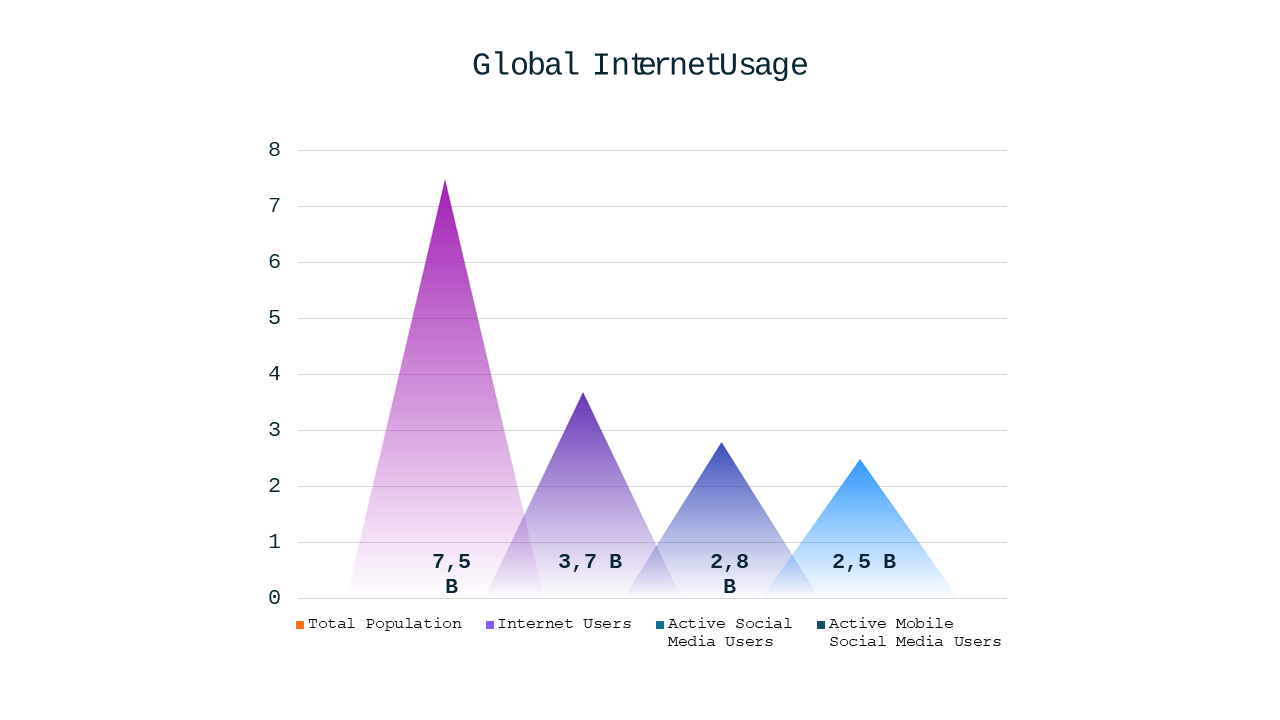
The teal accent works in a client-facing context because it reads as contemporary without being loud. The light background makes printed handouts look clean. If you’re presenting to a marketing director, a CMO, or a board, this is the one. Twenty slides structured for a full strategy presentation — objectives, audience, platform strategy, content pillars, KPIs, and timeline. Everything a proper proposal needs, laid out and formatted.
- 20 slides on a clean light background — works projected and printed
- Teal Modern accent — polished, contemporary, works for any industry vertical
- Covers audience targeting, platform strategy, content pillars, KPIs, and timeline
- Fully editable in PowerPoint, Google Slides, and browser
📊 Light: 20 slides
🎨 Light theme
📁 PowerPoint + Google Slides + Browser
How to Actually Use a Social Media Strategy Template
People buy templates and then spend 3 hours moving things around before they’ve written a word. Don’t do that. Here’s the faster approach.
Start by deleting, not editing. Open the template. Go through all 20 slides. Highlight the 10 to 12 that match your actual content structure. Delete the others. You’re not losing anything — you’re removing decisions you’d have to make later. A 12-slide deck you finish tonight beats a 20-slide deck you don’t finish until Wednesday.
Write the content in plain text first. Don’t type directly into slides. Write each slide’s headline and key points in a notes doc or even a text file. When you know exactly what goes on each slide, moving it into the template takes 15 minutes. If you write inside the slides, you’ll spend too much time adjusting font sizes and wonder why the deck still looks off.
Customize three things only. Your logo on the title slide. Your brand’s primary color as the accent (Design → Customize Colors in PowerPoint). Your actual section headers. That’s it. Don’t touch the font, the spacing, or the layout. The template was designed to work as-is. Every extra customization is time spent not finishing the deck.
Need Just One Marketing Slide Instead?
Not every situation calls for a full strategy deck. Sometimes you just need one clean social media slide to drop into an existing presentation — a content calendar, a platform comparison, or an engagement chart. Individual marketing slides are available at $0.99 each. Pick exactly what you need, skip what you don’t.
Common Questions
How many slides does a social media strategy deck actually need?
For most internal reviews, 10 to 12 slides is the right number. For a client proposal, 14 to 16 gives you room to cover objectives, platform breakdown, content plan, and KPIs without rushing. More than 20 slides in a strategy deck usually means the strategy hasn’t been prioritized yet — and that’s a strategy problem, not a slide problem. Both templates here give you 20 to start from, but you’ll use fewer of them.
Should I use the dark or light version for a boardroom presentation?
Light. Almost always. Dark themes look great on a monitor, but when projected in a standard conference room with overhead lighting, they lose contrast and the text gets harder to read. Use the dark version for internal meetings where you’re screen-sharing on a monitor or projecting in a dim room. Use the light version any time a client, board member, or executive is in the room. When in doubt, light.
Can I add my own platform data and charts to these templates?
Yes. All charts in both templates are standard PowerPoint chart objects — click into any chart, right-click, and choose Edit Data to replace the placeholder numbers with your own. You can also swap chart types if needed (bar to line, pie to donut) without affecting the slide layout. The styling applies automatically to whatever chart type you use, so your data looks designed even after you change it.
Which Template Should You Pick?
Internal strategy review, team standup, or social media audit where you need to walk through a lot of data → Dark Corporate Green at $3.99. Bold layout, high contrast, twenty structured slides.
Client proposal, agency pitch, or any presentation where a stakeholder who doesn’t know your work will be in the room → Light Teal Modern at $5.99. Clean, professional, built to read well on a screen and in print.
Already have a deck and just need one or two social media slides to drop in → browse individual marketing strategy slides at $0.99 each.
Ready to get started?