
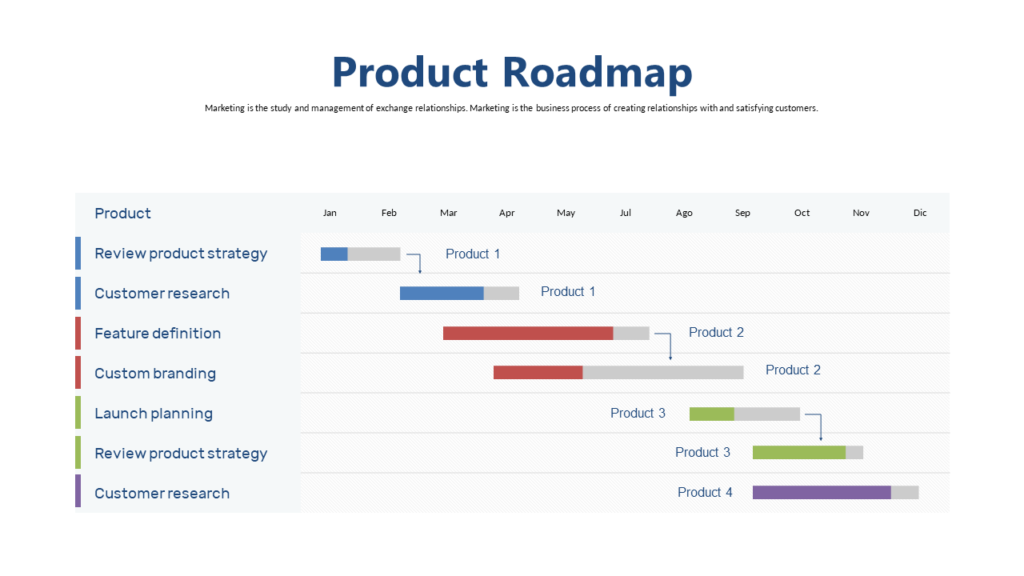
A Roadmap Slide Is the Most Asked-For Slide in Business
Whether you’re a product manager presenting to engineering, a CMO presenting to the board, or a startup founder pitching investors, at some point someone in the room will ask: “Can you show us the roadmap?” It’s the slide that answers: where are we going, how are we getting there, and when?
Despite being one of the most requested slides in US business, roadmap slides are also one of the most poorly designed. Here’s how to do them right.
What a Roadmap Slide Actually Shows
A roadmap slide visualizes your plan across time. Unlike a project timeline that shows specific tasks and dates, a roadmap shows phases, priorities, and direction — at a level of detail that stakeholders can understand without getting into the weeds. It answers three questions: What are we building/doing? In what order? Roughly when?
The key word is “roughly.” A good roadmap communicates direction and priority, not commitments to specific dates. This is especially important when presenting to executives — they want to know the strategy, not the Gantt chart.
5 Types of Roadmap Slides
1. Quarterly Roadmap: Divided into Q1, Q2, Q3, Q4 with initiatives in each quarter. The most common format in US corporate presentations. Simple, universally understood, easy to update.
2. Theme-Based Roadmap: Instead of dates, organizes work by strategic themes (Improve Retention, Scale Acquisition, Reduce Churn). Focuses on outcomes over outputs — preferred by product-led organizations.
3. Phase Roadmap: Phase 1 (Foundation), Phase 2 (Growth), Phase 3 (Scale) — used when the timeline is less certain but the sequence is clear. Common in startup and early-stage company presentations.
4. Now/Next/Later Roadmap: Three columns — what we’re doing now, what’s up next, and what’s on the horizon. Great for agile teams and product managers who want flexibility without committing to dates.
5. Swimlane Roadmap: Multiple parallel tracks (by team, product area, or channel) shown against a time axis. More complex, better for showing how different parts of the organization are working in parallel.
Design Rules for Roadmap Slides
Keep it simple. The more you try to fit on a roadmap slide, the less useful it becomes. Three to five items per phase or quarter is the maximum — if you have more, you’re showing a task list, not a roadmap. Use color coding to distinguish between themes, teams, or status (planned, in progress, complete). And always include a legend if you use color for meaning.
Get a Roadmap Template
SlideSwift’s business and timeline templates include multiple roadmap layouts — quarterly, phase-based, and swimlane styles — in both Light and Dark themes across 6 color options.
- Browse roadmap templates →
- Starting from $9 — Light + Dark included